7 Frontify Alternatives and How Each One Charges
Frontify alternatives compared on pricing model, guidelines, viewers and hosting, plus what Frontify costs: $15,000 to $30,000 a year for 20 to 50 users.

The Frontify alternatives worth a demo depend on which half of Frontify you use. If it's the brand guidelines, look at Kadanza, Bynder or Canto, which put guidelines and a DAM in one product. If it's the asset library, look at Clipido, Dash or Air, which publish their prices, or Brandfolder if distribution to partners is the job.
Frontify alternatives are the brand management and digital asset management platforms teams compare when Frontify's price, licensing or fit stops working. Almost every page listing them is written by one of Frontify's competitors, and none of the top results we could read say what Frontify costs, or explain the thing that decides the quote: how monthly active users are counted, and who among your agencies and partners ends up on the bill.
This page is written by a competitor too. Clipido is on the list because we make it. So every claim below names its source and the date we checked it, and there's a section on when staying with Frontify is the better call.
What Frontify does well, and why teams look elsewhere
frontify.com, captured 20 October 2026
Frontify is a Swiss company from St. Gallen, and its centre of gravity is the brand, not the library. Living guidelines, brand portals and templates come first, with asset management, an AI "Brand Assistant" and an MCP server for outside AI tools built around them. Reviewers like exactly that: Capterra users give it 4.8 out of 5, though on a small base of 82 reviews (August 2026), and they single out how far you can shape the guidelines and how well support responds.
The complaints in those same reviews are small and specific. There's no undo when someone deletes or edits the wrong thing, and some screens feel dated (filters, for one, are reordered by typing a number instead of dragging). Nobody leaves over that.
People leave over three bigger things:
- You can't see a price. Frontify's pricing page shows no plans and no amounts, only an explanation of how it charges and a "Book a demo" button (checked 22 November 2026). The numbers only come out in a sales call, and we've put the ones we were shown below.
- The bill follows logins, including your agencies'. It's the part most teams only understand after the first renewal.
- The library costs extra. In Frontify's own pricing setup, the base licence covers the brand portal and creative collaboration. Digital asset management is an add-on. If your team mostly opens Frontify to find a logo or a photo, you're paying for a guidelines platform plus a DAM module to run a media library. Our piece on brand asset management vs. DAM explains why those are two different jobs.
What Frontify costs, and how its MAU pricing works
Frontify charges by monthly active users (MAU), not by seats. Its own FAQ defines an MAU as "anyone logging into your Frontify space as a user, via browser, desktop, or mobile, at least once a month", and adds: "This includes external partners." Anyone who only views your Frontify space without logging in isn't counted.
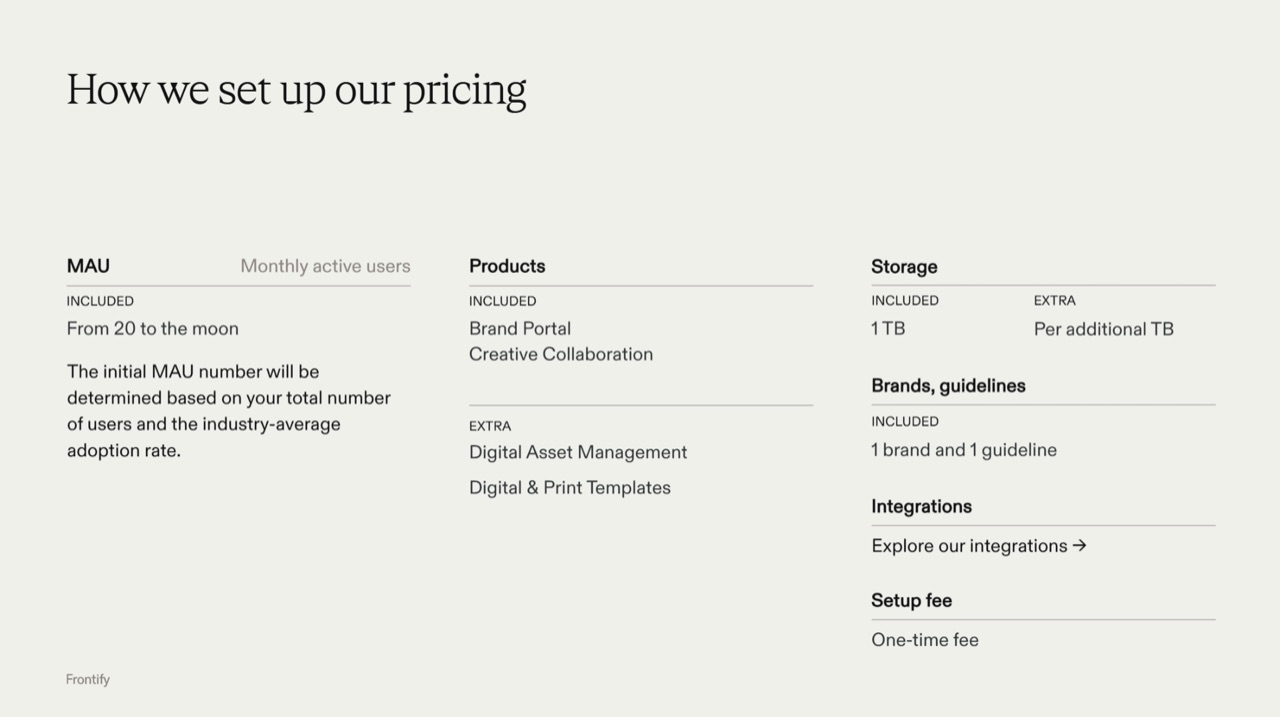
Frontify's sales presentation, shown to us in a demo in October 2026
The rest of the structure isn't on the website. Frontify's sales presentation, which we were shown in a demo in October 2026, lays it out:
- Included in the base licence: at least 20 MAU ("from 20 to the moon"), the brand portal, creative collaboration, 1 TB of storage, and one brand with one guideline.
- Extra: digital asset management, digital and print templates, each additional terabyte, and a one-time setup fee.
Three rules decide how many MAU you pay for:
The number is estimated up front. Your starting MAU is based on "your total number of users and the industry-average adoption rate", and Frontify's FAQ says it reviews that number once a year. You're buying an MAU range, not paying per login after the fact.
Spikes are averaged, and nobody gets locked out. Frontify takes the average over the last six months, for the licence year and for renewals. The deck says Frontify doesn't charge retroactively when adoption beats the estimate, and people above your MAU count can keep working. The higher average lands at renewal instead, when your account manager discusses raising the licensed MAU.
Agencies count once they log in. An agency that downloads from a public portal costs nothing. An agency, freelancer or photographer that logs in to upload work is an MAU, every month they do it.
So MAU pricing suits organisations with a small core team and a large audience that only looks. It hurts teams whose outside partners work inside the platform: the agency, the event photographers and the regional offices that all need to upload.
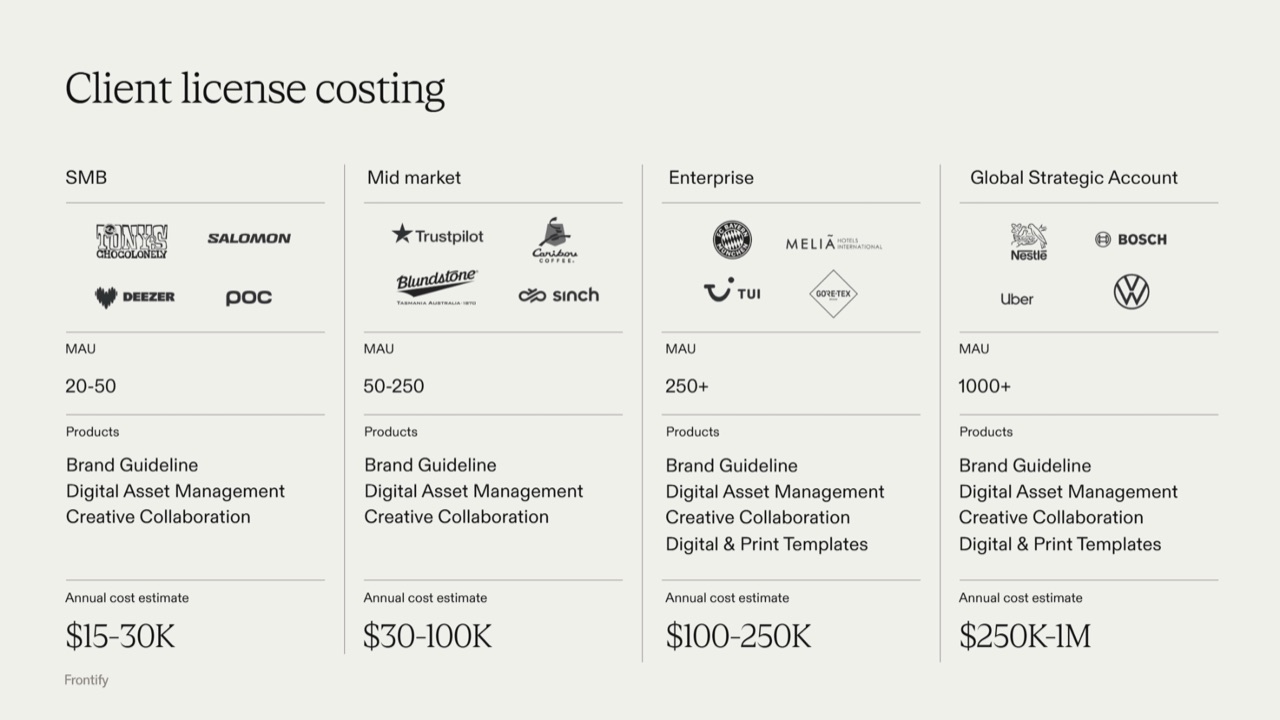
Frontify's sales presentation, shown to us in a demo in October 2026
What it adds up to, in the same presentation's own annual estimates:
| Frontify's segment | Monthly active users | Products in the estimate | Annual cost estimate |
|---|---|---|---|
| SMB | 20 to 50 | Brand guidelines, DAM, creative collaboration | $15,000 to $30,000 |
| Mid-market | 50 to 250 | Brand guidelines, DAM, creative collaboration | $30,000 to $100,000 |
| Enterprise | 250+ | The above, plus digital and print templates | $100,000 to $250,000 |
| Global strategic account | 1,000+ | The above, plus digital and print templates | $250,000 to $1 million |
Vendr's contract data lands at the bottom of that range: a median of $32,386 a year across 36 purchases, with an average negotiated discount of only about 5% (checked August 2026). For comparison, our Bynder pricing guide puts Bynder's Vendr median around $39,000.
Rollout is measured in weeks and hours. The deck's example timelines: 4 to 6 weeks and about 120 working hours for a simple brand portal with assets, 10 to 14 weeks and 260 hours for a multi-brand portal, and 16 to 24 weeks and 550 hours for a house of brands with templates.
Where Frontify keeps your files
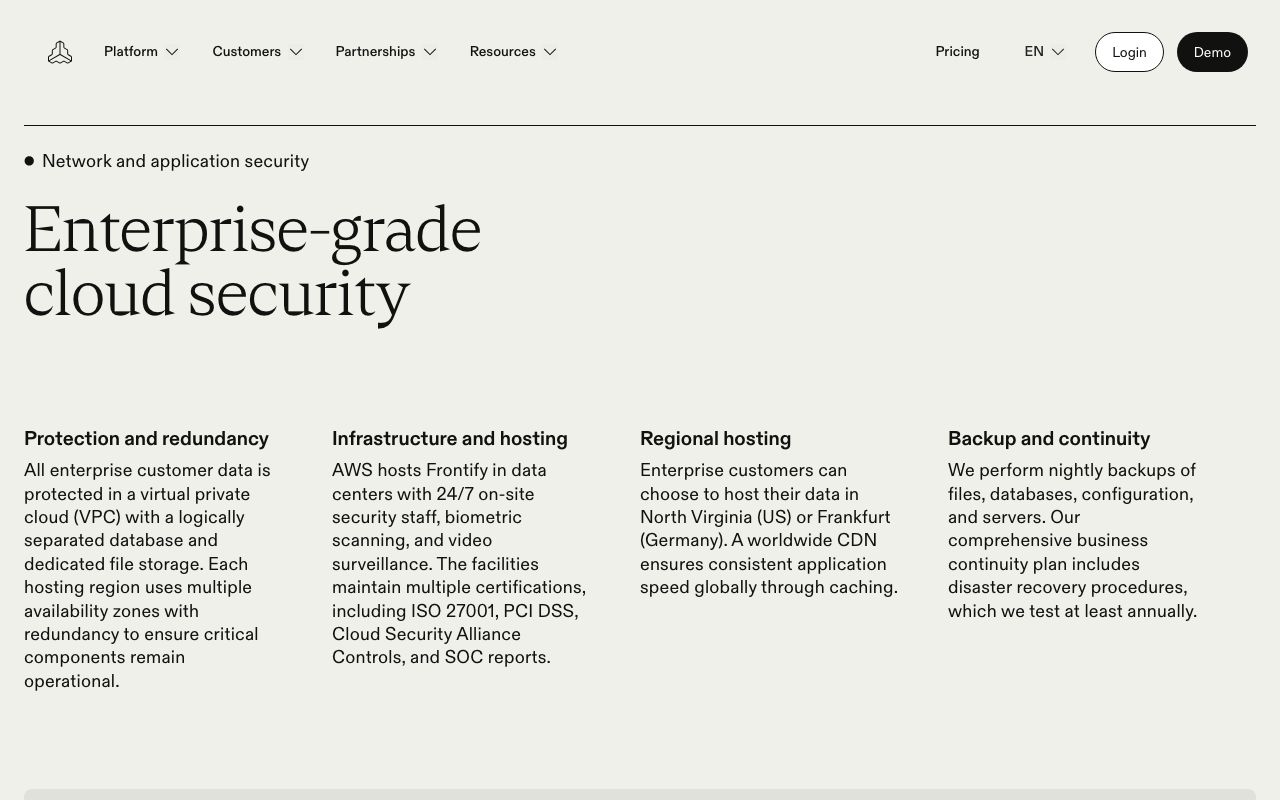
frontify.com/en/security, captured 22 November 2026
Frontify runs on AWS. Its security page says "Enterprise customers can choose to host their data in North Virginia (US) or Frankfurt (Germany)". Its trust center is looser: "hosted on AWS (US or EU, depending on your preference)", with AWS listed as a subprocessor in Germany and the United States (both checked 22 November 2026).
The two pages don't say quite the same thing, and the difference matters if you're not on Enterprise. If EU storage is a requirement, get Frankfurt named in your contract, whatever plan you're quoted. Our guide to GDPR and DAM lists the other questions to ask.
On certifications Frontify is strong: ISO 27001:2022, SOC 2 Type II, TISAX and Cyber Essentials, among others. For Dutch-speaking teams, one more thing: frontify.com has English and German versions, and frontify.com/nl returns a "Page not found" (checked 22 November 2026).
Frontify alternatives at a glance
Feature
Pricing published on site
Brand guidelines in entry plan
Outside uploaders don't count as users
Unlimited free viewers
SSO with no extra fee
EU/EEA hosting option
Free trial or free plan
Rollout under 4 weeks
Included
Paid add-on, gated, or not publicly confirmed
Not available
Checked between 19 August and 22 November 2026 against each vendor's own pricing, help-center and security pages. 'Partial' covers a paid add-on, a tier-gated feature, or a claim we couldn't confirm from public sources (treated the same as a gap, not assumed in the vendor's favour). 'Outside uploaders' means people outside your team who add files: Clipido's upload zones need no account, and Kadanza and Dash have no user limits.
For comparison, Frontify itself would score "yes" on brand guidelines and on unlimited viewers who don't log in, and "partial" on EU hosting (named for Enterprise). It would score "no" on published pricing, on outside uploaders (they count as monthly active users) and on a rollout under four weeks, since its own deck plans 4 to 6 weeks for the simplest setup.
The seven alternatives
1. Clipido
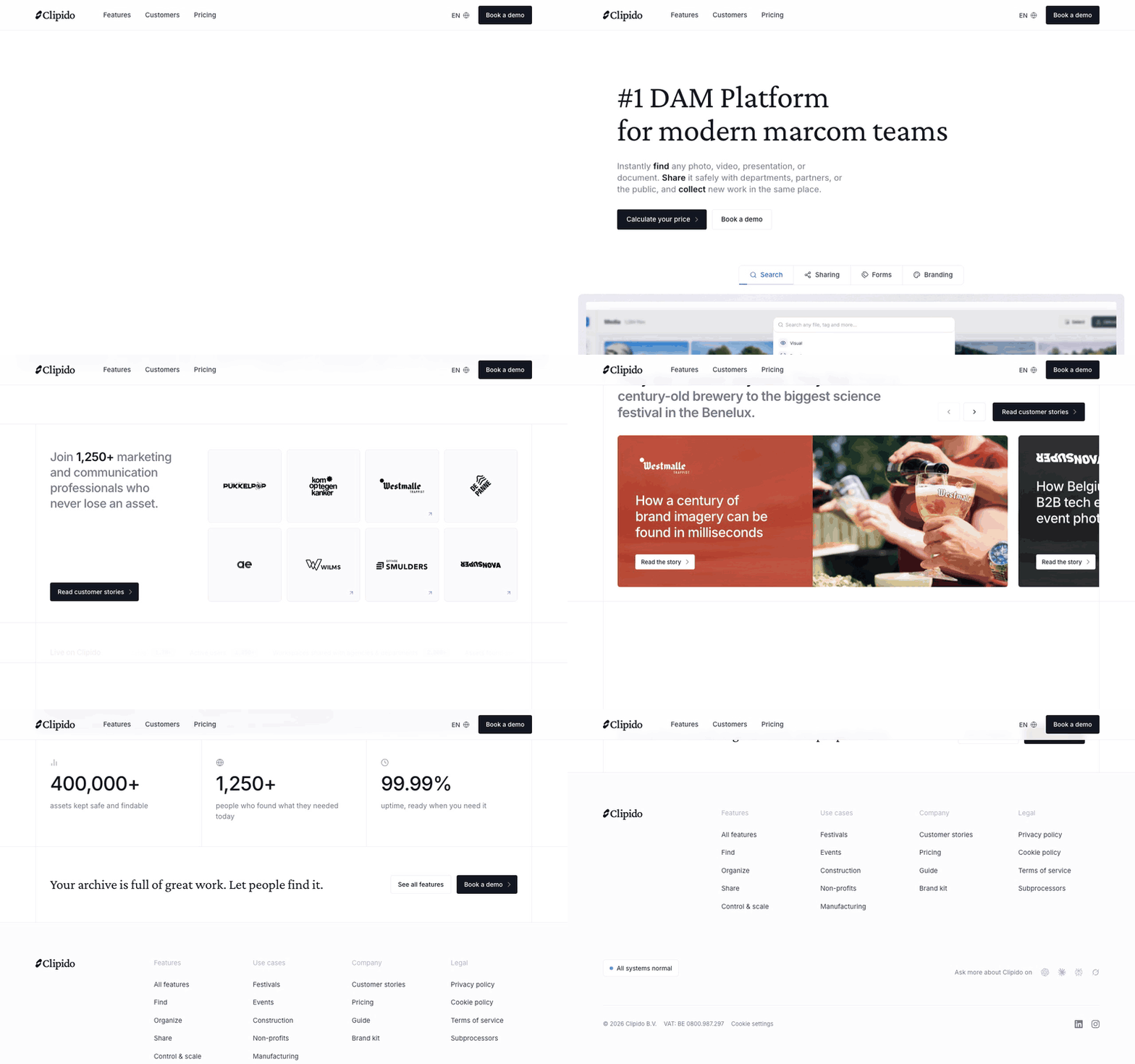
Scrolling through clipido.com, captured 20 October 2026
We make Clipido, so weigh this entry with that in mind. It's a Belgian DAM for marketing and communication teams who use their library as a living archive. It covers the library half of Frontify, not the guidelines half: there's no brand book editor, and if your guidelines are the product you use every day, Clipido isn't the swap.
- Agencies upload without becoming users. An upload zone is a link a photographer or agency drops files into, no account needed, and tagging forms make every upload arrive with the same fields filled in. They don't count on any plan.
- Viewers are free, too. Press, partners and colleagues open galleries and shared links without an account, however many there are.
- You find things nobody tagged. Describe what you need, "team photo on the rooftop, summer", and AI visual search finds it, in every plan.
- A price you can see. €1,800 a year for 100 GB with 3 admins and 25 members, or €6,000 a year for 1 TB with 5 admins and 250 members. The pricing page calculates yours.
- Hosted close to home, live in two weeks. Your library sits in Amsterdam and Belgium, and we set it up with you, in Dutch or English.
2. Kadanza
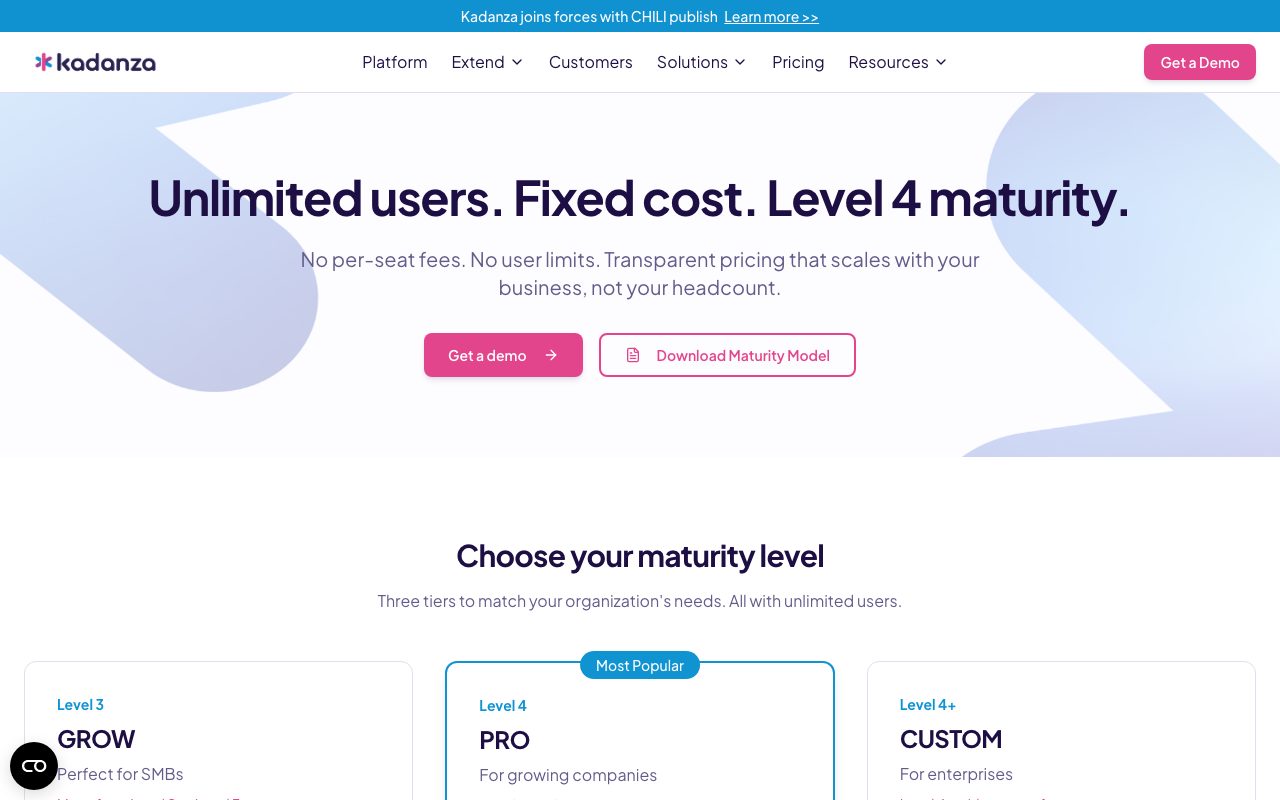
kadanza.com/pricing, captured 21 November 2026
Kadanza is the closest thing on this list to Frontify's shape, and it's Belgian, from Antwerp. Its entry plan, GROW, already bundles brand guidelines, a DAM and single sign-on, and creative automation (templates) comes with PRO. The pricing model is the opposite of MAU: "Unlimited users. Fixed cost.", with plans that differ by asset count (10,000, 50,000 or unlimited) instead of by who logs in (checked 22 November 2026). It shows no amounts, though, and it's ISO 27001 certified but doesn't say where your data is hosted. Its site also announces that Kadanza is joining forces with CHILI publish, so ask what that means for the roadmap.
3. Bynder
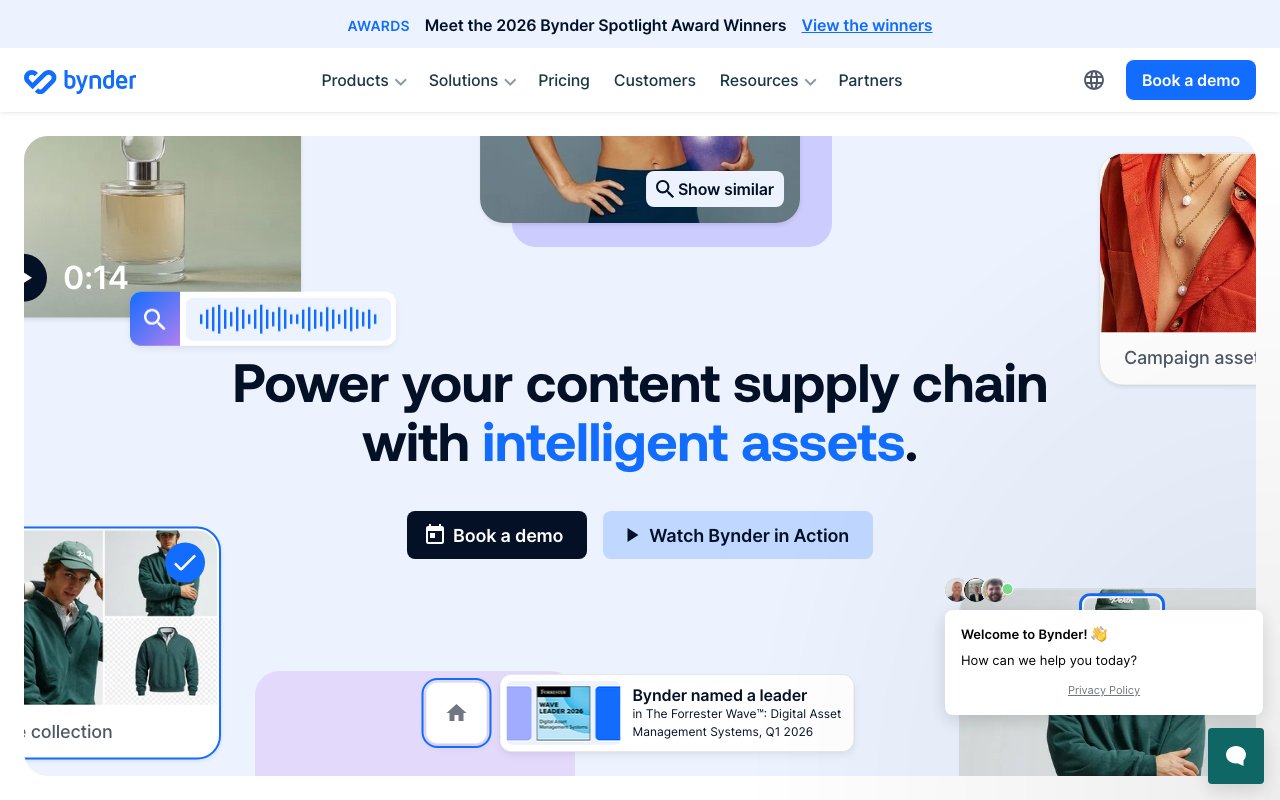
bynder.com, captured 20 October 2026
Bynder is the enterprise swap: a DAM built around brand consistency, with workflow, templates and analytics sold as modules on top of the core platform. Its pricing page lists single sign-on in every package (checked 22 November 2026), and it holds 4.5 out of 5 on G2 across 1,168 reviews (August 2026). It's headquartered in Amsterdam, but its hosting statement doesn't name a region. Expect to pay more than at Frontify, around $39,000 a year at the Vendr median. Clipido vs. Bynder and Bynder alternatives cover it in detail.
4. Canto
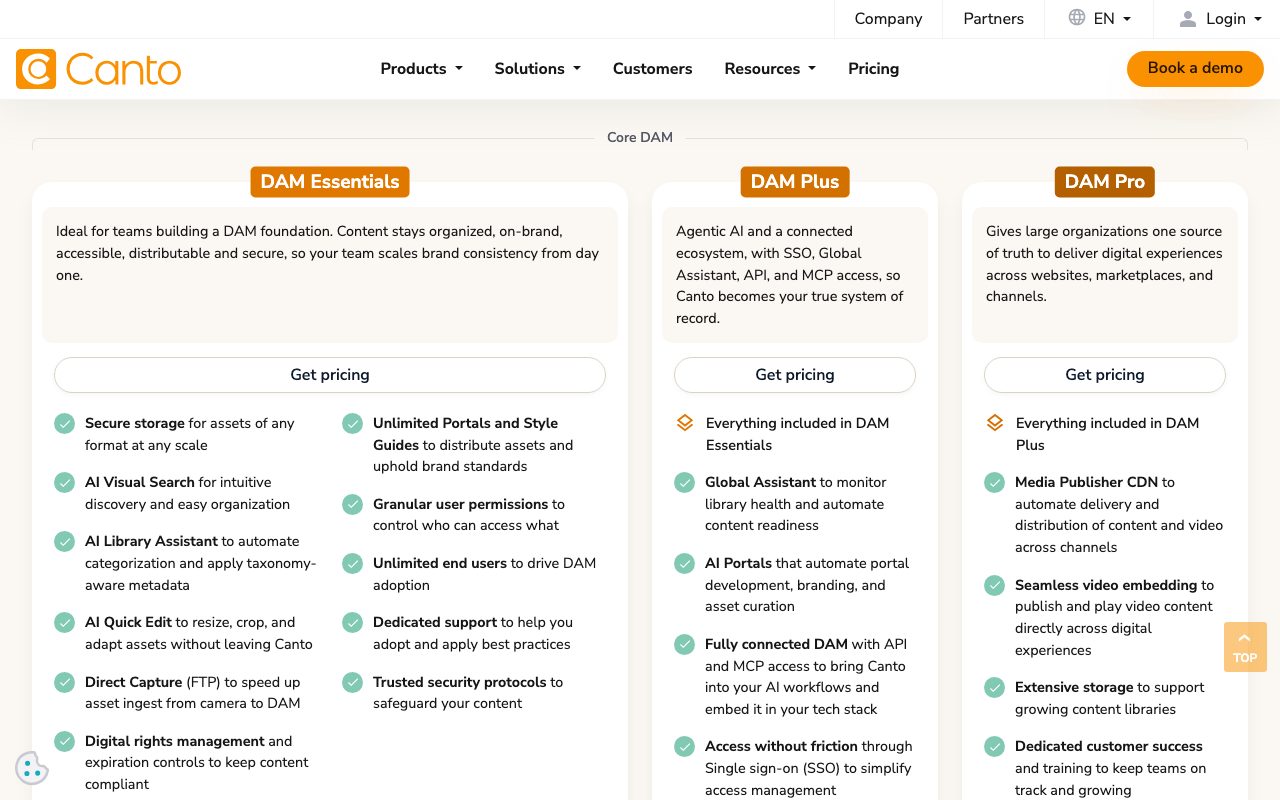
canto.com/pricing, captured 21 November 2026
Canto is the oldest name in the category, and since its November 2026 plan change the entry plan, DAM Essentials, lists AI visual search, style guides and unlimited end users. Viewers of portals and links don't count against its power-user seats. Data can sit on AWS in Ireland or Germany. Prices are quote-only; the one public number is Canto's own AWS Marketplace bundle at $25,000 a year for 2 TB and five power users. Canto alternatives has the full plan breakdown.
5. Brandfolder
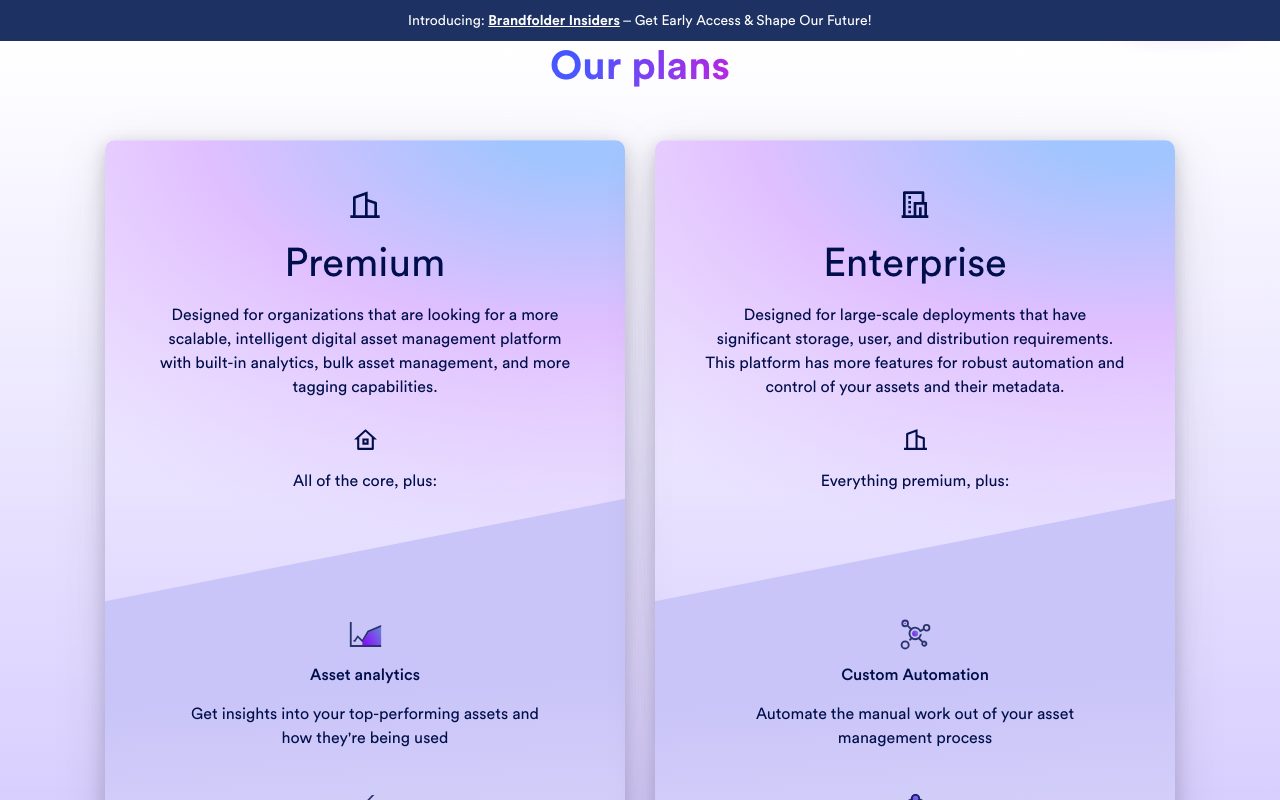
brandfolder.com/pricing, captured 21 November 2026
If the portals were the reason you bought Frontify, Brandfolder is the other platform built around pushing assets out to retailers, franchisees and agencies, with analytics on what gets used. Capterra reviewers rate it 4.7 across 451 reviews (August 2026), and Vendr's median is $24,682 a year. The catch for European buyers: Smartsheet, which owns it, says Brandfolder "is hosted only in the US region". Brandfolder alternatives covers that in full.
6. Dash
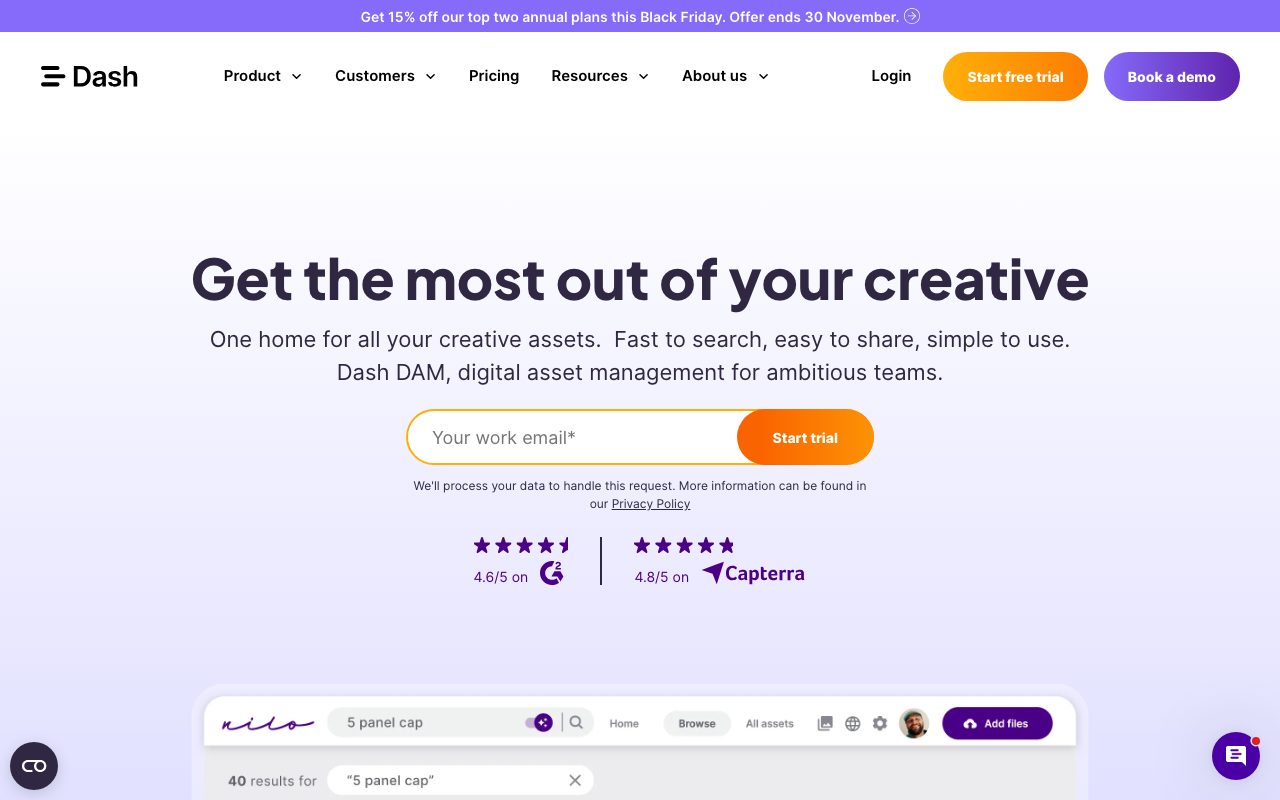
dash.app, captured 21 November 2026
Dash is a UK DAM with the simplest pricing of the group: from €1,188 a year, unlimited users, and every feature on every plan, AI included. Live assets sit on AWS in Ireland, with backups in Stockholm, and you can start a free trial with just an email address. It's built with ecommerce brands in mind, so judge it as a replacement for Frontify's library rather than its brand book.
7. Air
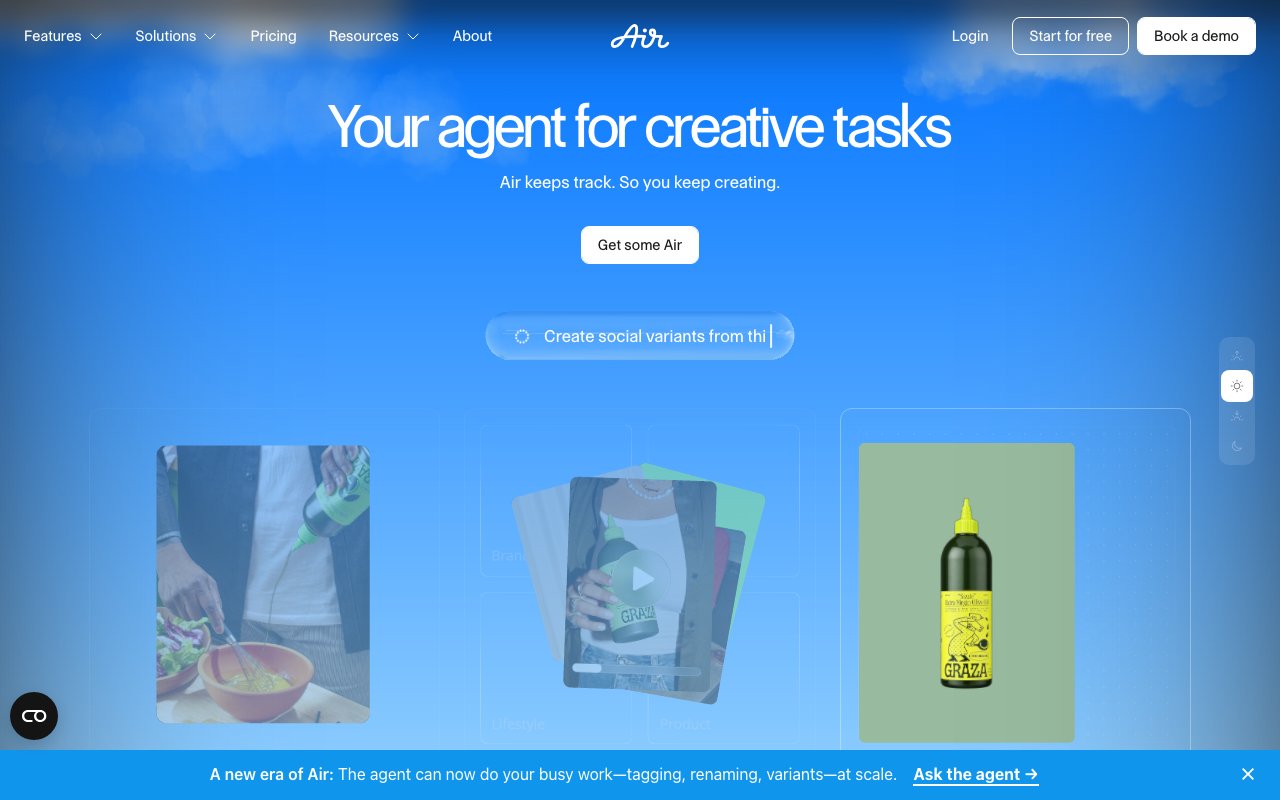
air.inc, captured 20 October 2026
Air is a US platform for creative teams, closer to a shared creative workspace than a classic DAM, with AI image and video tools paid for in credits. Starter costs $1,200 a year for up to five users, and Business is $10,800 a year with unlimited users. There's a free plan for three users and 10 GB. Its pricing page doesn't name a data region, so if location matters, ask that first.
If you mostly use the guidelines
Some teams open Frontify for the brand book and barely touch the library. For them, a DAM is the wrong replacement. A documentation tool is closer: zeroheight, for one, has a free plan, and its Starter plan costs $49 per editor per month, billed yearly (checked 22 November 2026). Pair a guidelines tool like that with a simple library and you may end up paying less for both than for one MAU contract. Our explainer on brand portals helps you decide which half you actually need.
When you should stay with Frontify
Switching costs a migration, retraining and months of two systems side by side. Here's when that isn't worth it.
The guidelines are what people open. If marketers in ten markets check the brand book before every brief, Frontify's guideline editor is the reason to stay. Nothing in the lighter half of this list replaces it.
Most of your audience never logs in. MAU pricing works in your favour when a small core team uploads and everyone else only views a public portal. Those viewers are free.
Procurement wants certificates. ISO 27001:2022, SOC 2 Type II and TISAX are on Frontify's list. Several smaller names here, Clipido included, hold neither ISO 27001 nor SOC 2. Know that before you shortlist.
You're building on the AI layer. If your team already uses the Brand Assistant or connects AI tools through Frontify's MCP server, check that any alternative can do the same before you compare prices.
If none of that sounds like you, start with the half of Frontify you actually use, and shortlist from there. How to choose a DAM has the questions for every demo.
Frequently asked questions
Who are Frontify's main competitors?
Frontify's main competitors depend on how you use it. For brand guidelines and a DAM in one product, the names are Bynder, Kadanza and Canto. For distribution to partners, Brandfolder. For a media library with prices on the site, Clipido, Dash and Air. Documentation tools such as zeroheight compete with the guidelines half only.
How much does Frontify cost?
Frontify doesn't publish prices. Its own sales presentation (October 2026) estimates $15,000 to $30,000 a year for 20 to 50 monthly active users, $30,000 to $100,000 for 50 to 250, and $100,000 to $250,000 above that. DAM and templates are extras on the base licence, plus a one-time setup fee. Vendr's measured median is $32,386 a year (August 2026).
How long does it take to implement Frontify?
Frontify's own example timelines (sales presentation, October 2026) run from 4 to 6 weeks and about 120 working hours for a simple brand portal with assets, to 10 to 14 weeks for a multi-brand portal, and 16 to 24 weeks and 550 hours for a house of brands with templates. Plan for the hours on your side, not just the weeks.
How does Frontify's MAU pricing work?
Frontify charges per monthly active user: anyone who logs in at least once a month, including external agencies and freelancers. People who only view your Frontify space without logging in aren't counted. Usage is averaged over six months, and the expected MAU range is set up front and reviewed yearly (Frontify pricing FAQ, checked 22 November 2026).
Where does Frontify host data?
On AWS. Frontify's security page says Enterprise customers can choose North Virginia in the US or Frankfurt in Germany, and its trust center says US or EU "depending on your preference" (checked 22 November 2026). If you need EU storage and aren't on Enterprise, ask for Frankfurt in writing.
Is there a Frontify alternative from Belgium or the Netherlands?
Yes, two from Belgium. Kadanza, from Antwerp, combines brand guidelines and a DAM with unlimited users at a fixed cost, but shows no prices. Clipido is a DAM without a guidelines editor, hosted in Amsterdam and Belgium with one encrypted backup copy in the US, and prices on the site from €1,800 a year. Bynder is headquartered in Amsterdam.
